Commercial documents · supporting
And the commercial side, when you need it
Quotations, applications for payment, invoices and statements — built in. A supporting benefit that never gets in the way of your quantities.
From quote to paid
One priced chain, no re-typing
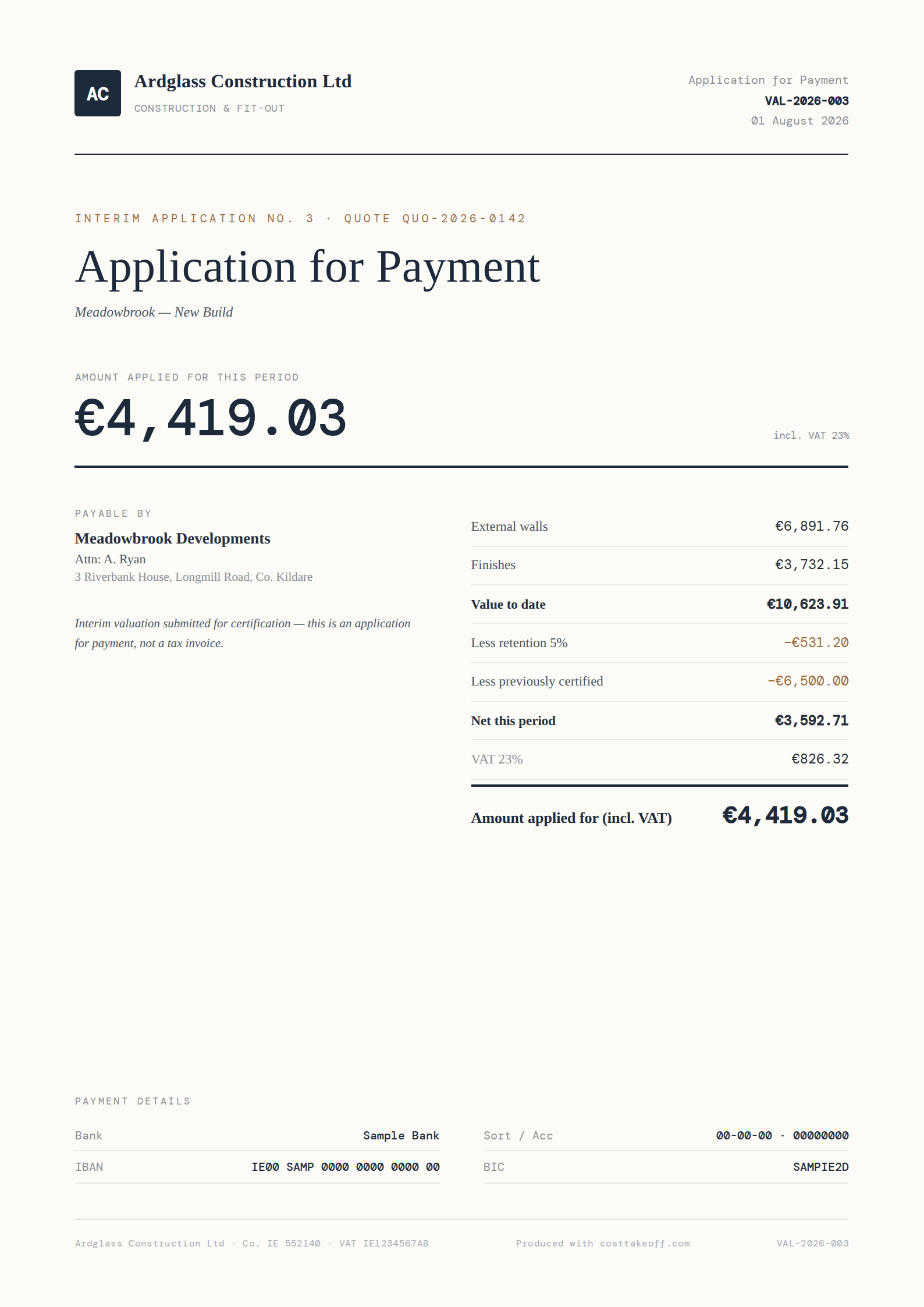
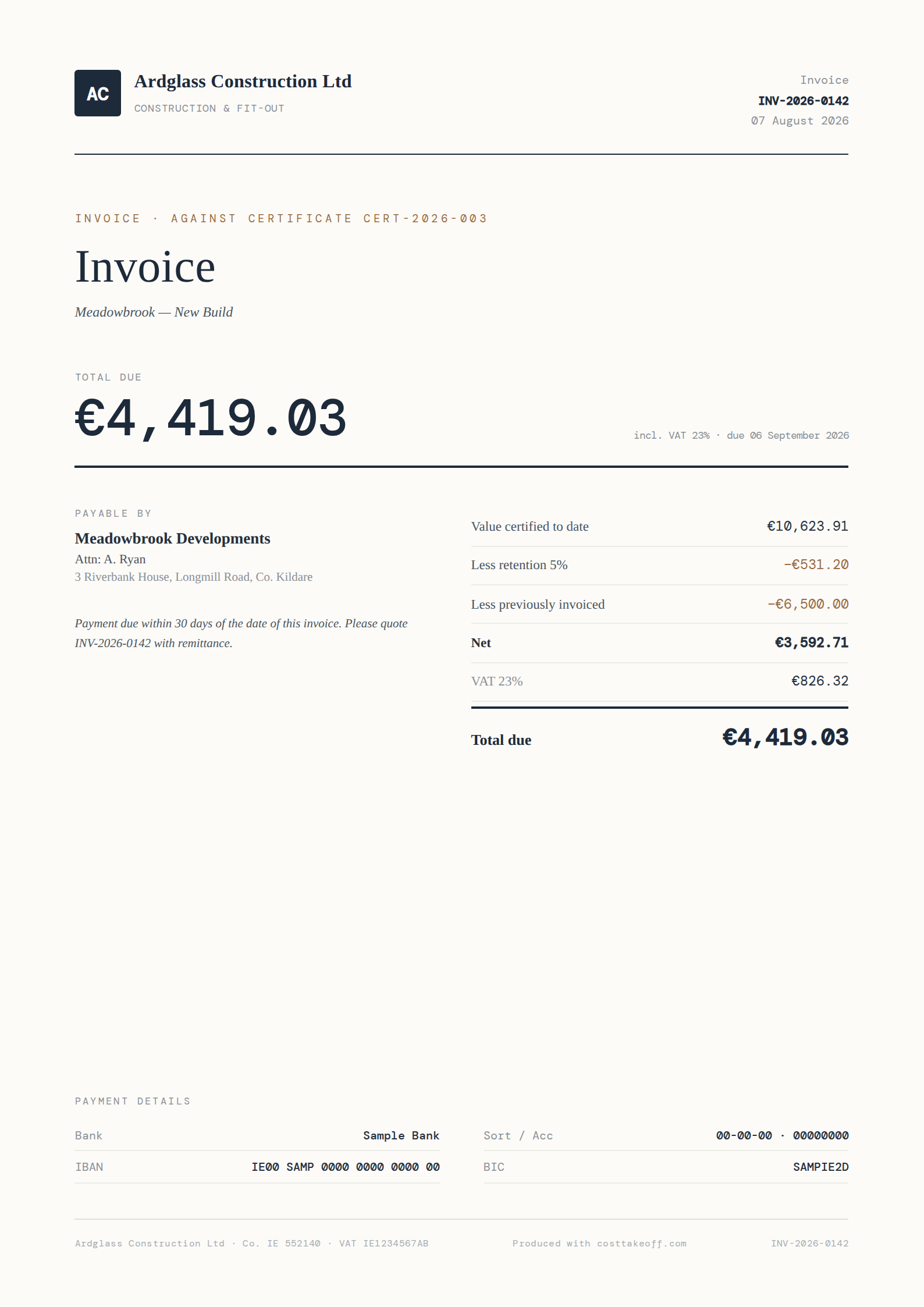
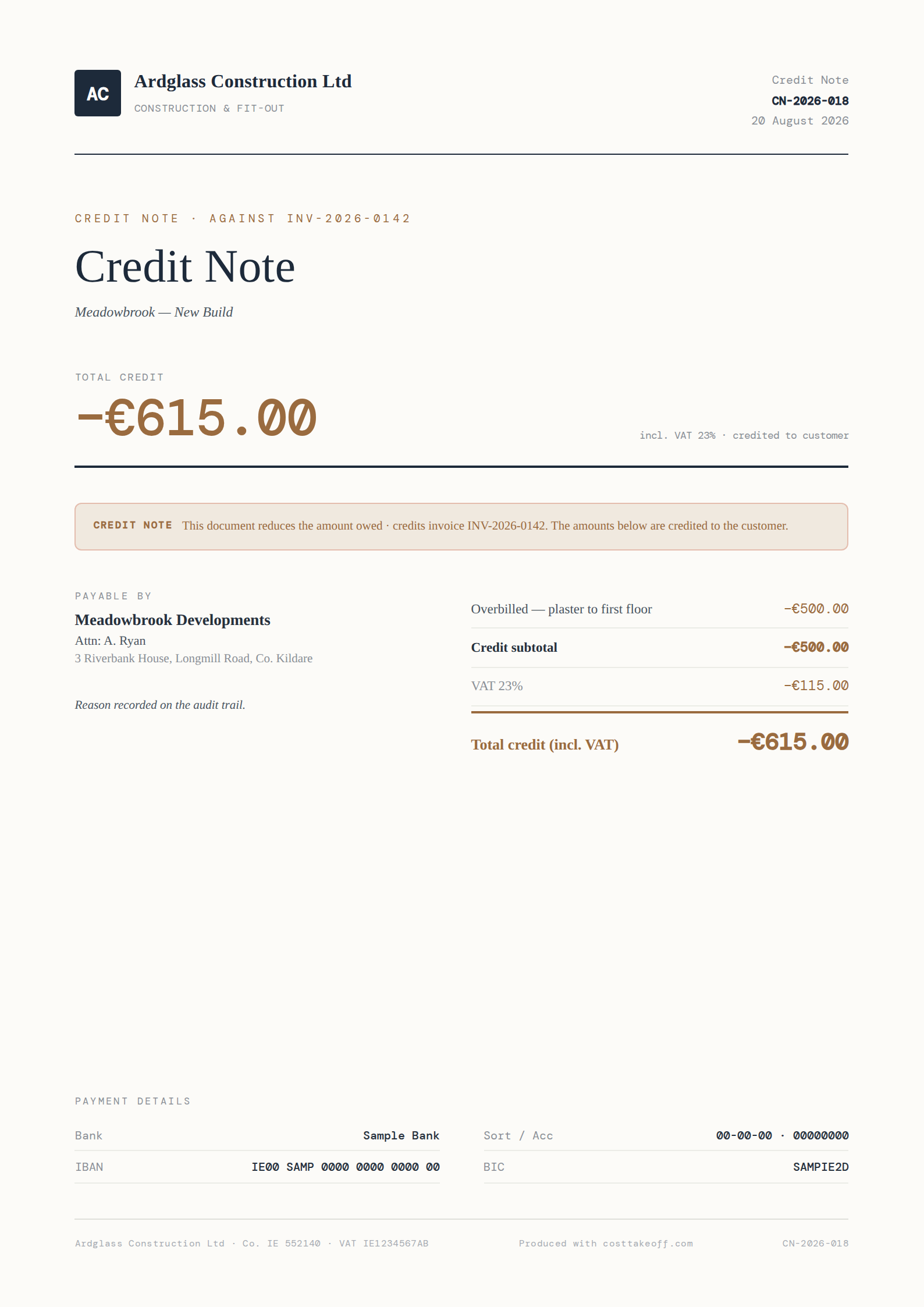
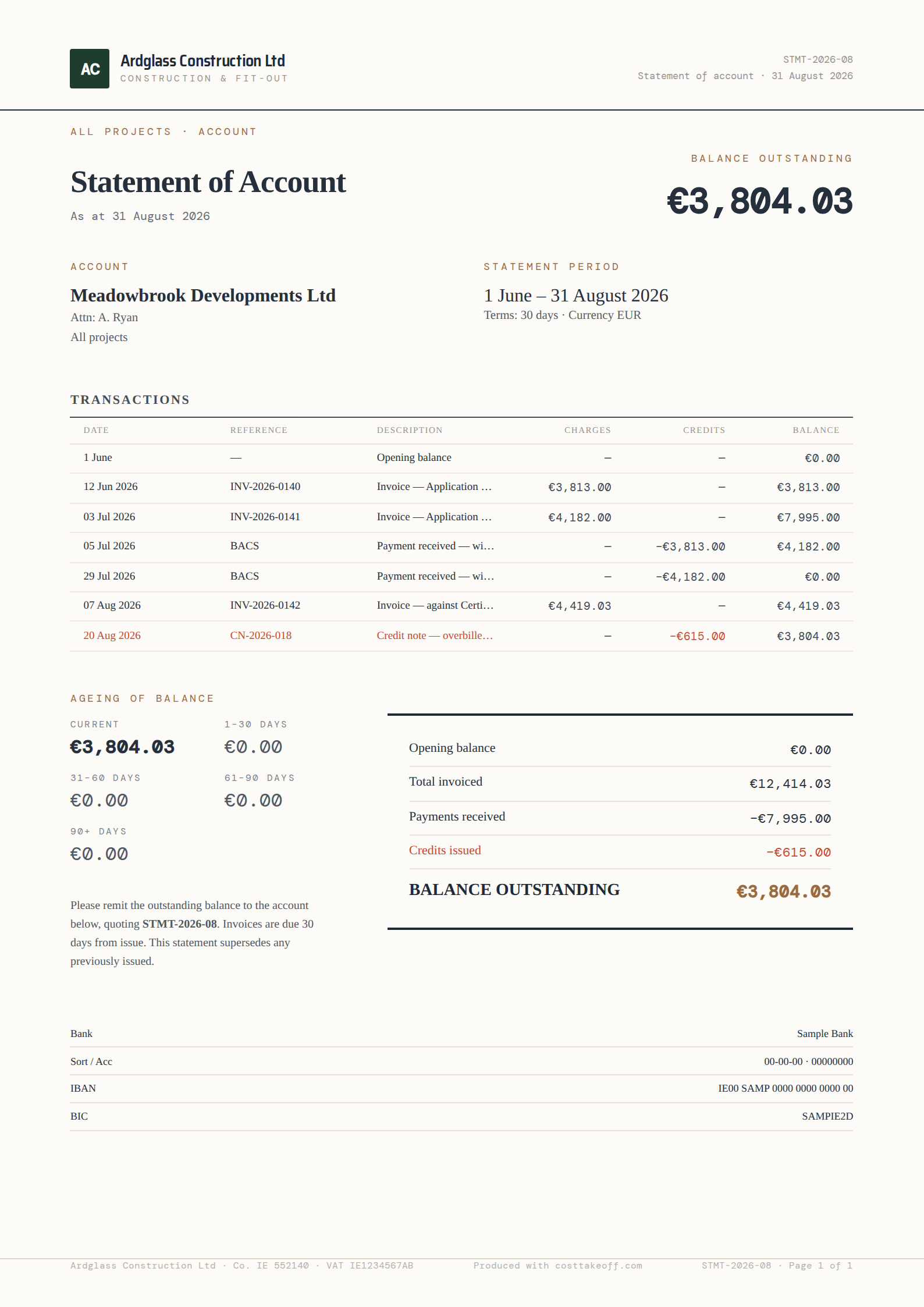
The bill of quantities flows all the way through — quote, claim, certificate, invoice, statement. Each step reuses the last, so the numbers stay right and the work stays light.
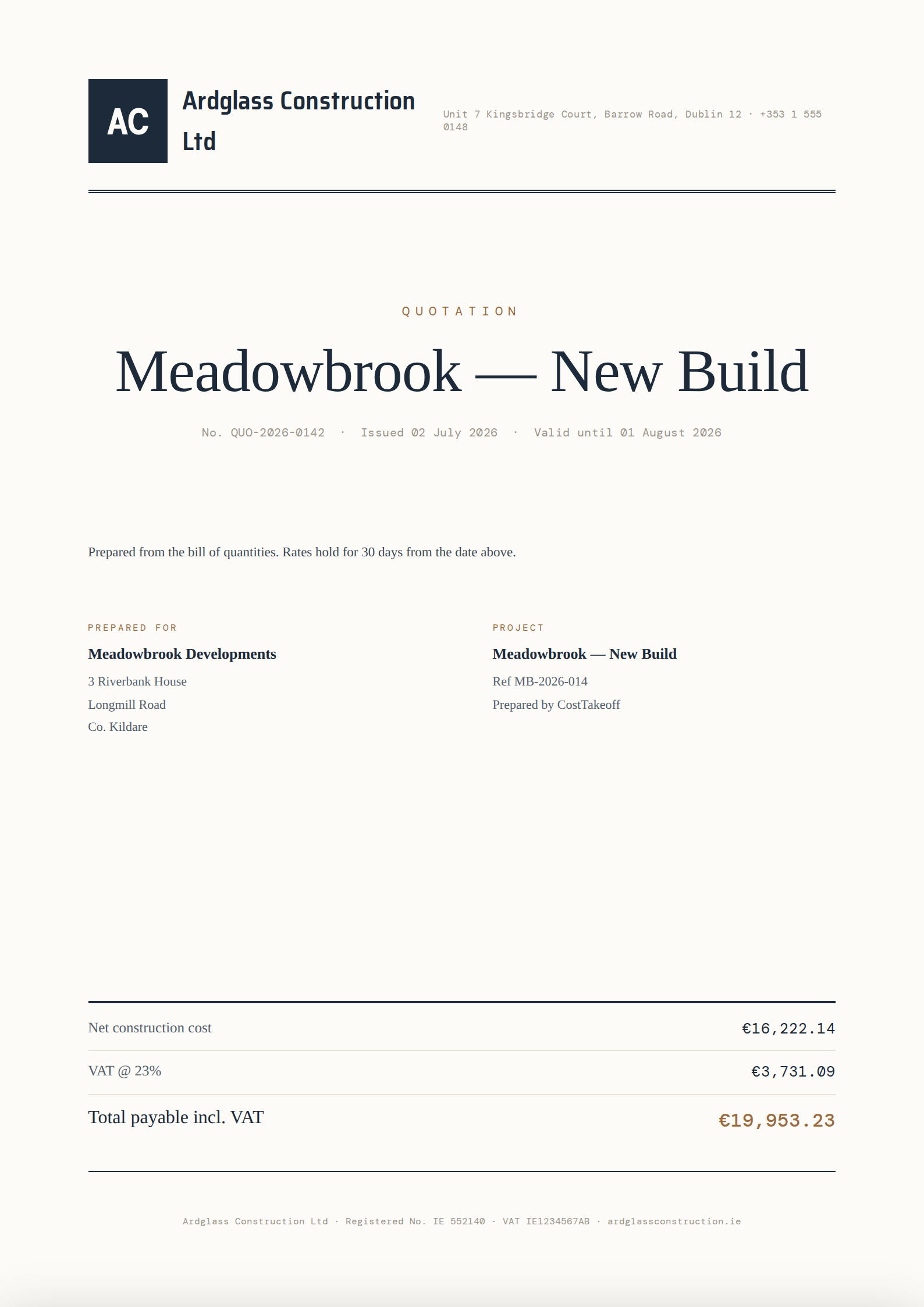
Win the work
Quotation
How it's done
- Open the finished bill of quantities.
- Hit “Create quotation” — items and totals carry straight over.
- Send the branded PDF to your client.
The method
From drawing to bill of quantities, in four steps
- 1
Upload
Drop in the PDF drawing set.
- 2
Set the scale
Once per drawing — the one step worth learning.
- 3
Measure
Areas, lengths and counts, straight off the sheet.
- 4
Read your BOQ
Quantities build as you draw. Export to Excel or PDF.
The paperwork
One job, five documents, one set of figures
Every document below is produced by the same renderer the product prints with, from one worked job: the quotation the bill sums to, the application for the period, the invoice that bills what was certified, the credit note that adjusts it and the statement that totals the account. Click any of them to read it full screen.